Guide
Who this is for: Small business owners who want to know whether the antivirus that came with their computers is enough, or what to look for in a paid option.
This guide doesn't pick a brand. It's a checklist of the features that matter for a business, so you can judge what you already have and compare anything you're thinking of buying.
The baseline is simple. NIST tells small businesses to install and maintain antivirus and anti-malware software on all business devices (NIST SP 1300). For a business, though, "installed" isn't enough. You also need to see every device in one place, keep protection from being switched off, and make sure someone actually acts on the alerts.
Done when: I know what antivirus each business computer and phone is running, and whether it's on and up to date.
Many businesses already have protection and don't know it. Microsoft Defender Antivirus is built into Windows 10 and Windows 11 (Microsoft Learn). If you install a different antivirus product on a Windows PC, Defender Antivirus usually switches itself off, so check which one is actually running (Microsoft Learn).
If you pay for Microsoft 365 Business Premium, you already have Microsoft Defender for Business, Microsoft's business endpoint protection. Business Premium includes it (Microsoft Learn). Check before you buy something you're already paying for. Our plain-English Microsoft 365 for Business guide explains what's in each plan.
Done when: I understand the difference between the free built-in antivirus on one PC and a managed business product.
The built-in antivirus protects the one computer it's on. What a business usually needs on top of that is the ability to manage every device together. Microsoft's own comparison shows the difference: Defender for Business adds central management, EDR (endpoint detection and response), automated investigation and remediation, and coverage for Mac, iPhone/iPad, and Android (Microsoft Learn).
Paid products from other companies can cover the same ground. Whatever you're comparing, the free built-in option or any paid one, use Steps 3 through 9 as your checklist.
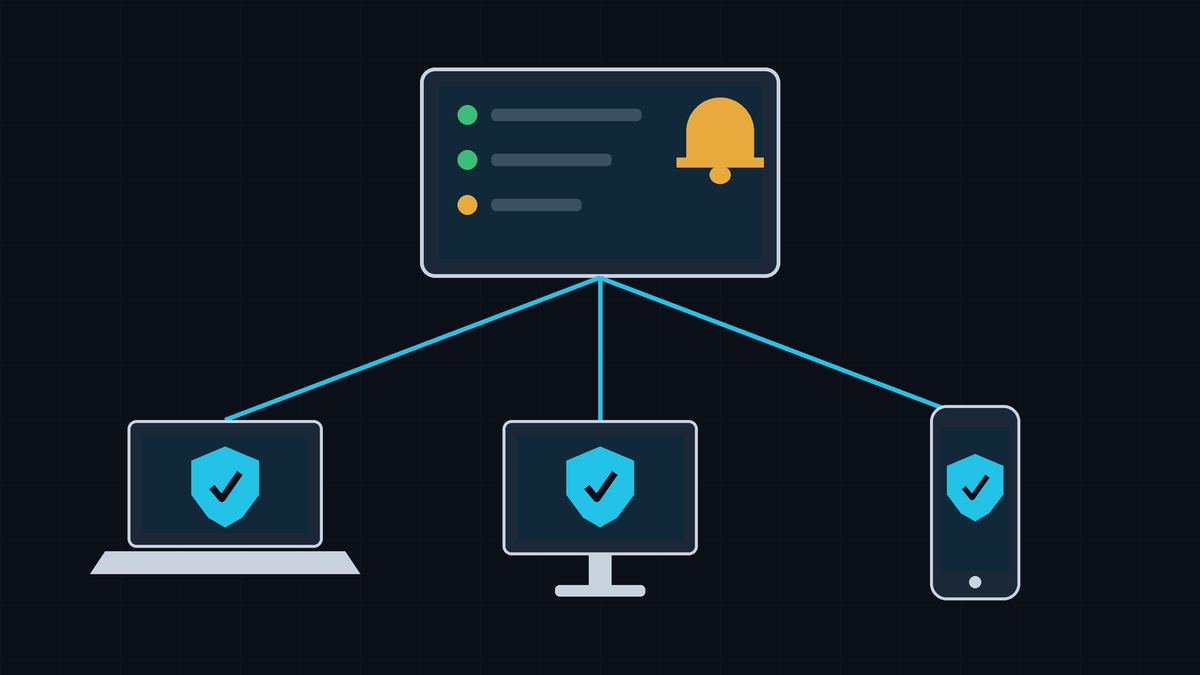
Done when: Every device shows up in one dashboard where we can see its status, change settings, and get alerts.
CISA, the FBI, and partner agencies recommend a centrally managed antivirus solution (CISA #StopRansomware Guide). Without one, you're checking each computer by hand and hoping nobody turned anything off.
Ask any product: Can I see every device in one place? Can I push one policy to all of them? Will it show me a device that's unprotected or out of date? Defender for Business, for example, offers wizard-driven setup and default security policies (Microsoft Learn).
Done when: Our protection includes EDR (endpoint detection and response), not only file scanning.
Basic antivirus looks for known bad files. CISA explains that signature-based antivirus can only detect malware with known characteristics, so you can still be hit by malware that spreads before the signatures are added (CISA). Modern products also use behavior monitoring and cloud-based machine learning to catch new threats (Microsoft Learn).
EDR goes further. It watches for suspicious activity on the device, raises an alert, and lets you respond. Microsoft describes EDR as near-real-time, actionable attack detection that lets you take response actions to fix threats (Microsoft Learn). Common response actions include isolating a device from the network and stopping and quarantining a file (Microsoft Learn).
CISA recommends EDR (or application allowlisting) on all assets (CISA #StopRansomware Guide). The FTC also points businesses to EDR tools for faster detection and response on their devices (FTC Start with Security).
Done when: Antivirus updates install automatically on every device, and the dashboard shows any device that's behind.
CISA recommends automatic updates for your antivirus and anti-malware software and signatures (CISA #StopRansomware Guide). The FTC also tells small businesses to update security software regularly and automate those updates if possible (FTC).
Antivirus gets two kinds of updates: new threat information, which Microsoft says reaches Defender devices regularly throughout the day, and updates to the program itself. Microsoft Defender Antivirus, for example, needs monthly platform updates in addition to its security intelligence updates (Microsoft Learn). Keep Windows, macOS, and phone software updated too.
Done when: Tamper protection is on, so protection can't be switched off on a device, including by malware or a curious user.
Microsoft explains that during cyberattacks, attackers often try to disable security features on devices. Tamper protection stops important security settings from being disabled or changed (Microsoft Learn). On Windows with Defender, it keeps real-time protection, cloud protection, and security updates on, and blocks changes to exclusions (Microsoft Learn).
Mac tip: with Microsoft's Mac version, tamper protection starts in audit mode, which only logs attempts to remove or change the security software. Switch it to block mode to actually stop them (Microsoft Learn). If you use another product, ask whether it has a similar setting and whether it's on by default.
Done when: Our Macs, iPhones/iPads, and Android phones that touch business data are covered and show up in the same dashboard.
NIST's small business guide asks whether devices used for your business, whether business-owned or employee-owned, have antivirus installed (NIST SP 1300). Ask any product which platforms it covers. Defender for Business, for example, supports Windows, Mac, Android, and iOS/iPadOS (Microsoft Learn).
Phones are different. Microsoft notes that phones have some built-in protection but are still vulnerable to web-based attacks. Its mobile protection focuses on blocking phishing and unsafe connections, and scanning for malicious apps on Android only (Microsoft Learn). Expect a mobile app to focus on links and websites, not on traditional virus scanning.
Two more things to check:
Done when: Alerts go by email to a named person (and a backup), not to a shared inbox or nobody.
An alert nobody reads protects nobody. Antivirus alerts that a device is infected are one of the common signs of an incident that NIST tells small businesses to watch for (NIST SP 1300). Most business products can email alerts. In Defender for Business, you set up email notification rules so your security team is emailed when alerts are generated (Microsoft Learn). Test it: Microsoft provides a detection test that, on a Windows PC, should make an alert appear in the portal within about 10 minutes (Microsoft Learn).
Done when: We've decided who reviews alerts and acts on them, including nights and weekends, either in-house or with a provider.
Someone has to look at each alert, decide whether it's real, and act, for example by isolating a laptop. If you don't have the staff, NIST suggests engaging a service provider to monitor computers and networks for suspicious activity (NIST SP 1300). Microsoft cloud solution providers (CSPs) who use Microsoft 365 Lighthouse can view Defender for Business alerts and incidents across the businesses they support, and managed service providers can connect it to their monitoring tools (Microsoft Learn).
If you hire someone, get it in writing: what they watch, how fast they respond, what they can do without asking (like isolating a device), and how they reach you.
Checked on October 11, 2026.
Microsoft, Windows, and Microsoft Defender are trademarks of the Microsoft group of companies. Hawkcrest Cyber is an independent consultancy and isn't affiliated with Microsoft or any agency cited here.
 Hawkcrest
  Hawkcrest Cyber