
MISP: Free, Open-Source Threat Intelligence You Can Run Yourself
At a glance
- What it is: MISP is a free, open source platform for collecting, organizing, correlating and sharing threat intelligence.
- What "free" means: the software costs nothing to download and use under the AGPL-3.0 license, and many useful feeds are free. Your costs are your own time, hosting and upkeep.
- The honest take: MISP is powerful, but it pays off only when someone regularly reviews what it shows and acts on it.
Commercial threat intelligence platforms can be expensive. MISP is a free, open source alternative you can run yourself, used by response teams and sharing communities around the world.
This post explains what MISP is, how it works, what "free" really covers, and how we use it in our lab. It's written in plain English, so you don't need to be a threat analyst to follow along.
What is MISP?
MISP is an open source threat intelligence and sharing platform. The project describes itself as a way for teams to "collect, enrich, correlate, automate, and securely share threat intelligence." It's developed by an international open source community, with CIRCL (the Computer Incident Response Center Luxembourg) as a core developer. CIRCL also runs several trusted sharing communities on MISP.
The name originally stood for Malware Information Sharing Platform, but today it covers much more than malware. Think of it as a shared, searchable notebook for threat data. Instead of passing around spreadsheets and emails full of suspicious addresses, everything goes into one structured place where it can be searched, connected and sent to other security tools.
How MISP works
You don't need every feature to get value from MISP. A handful of building blocks do most of the work.
Events and attributes
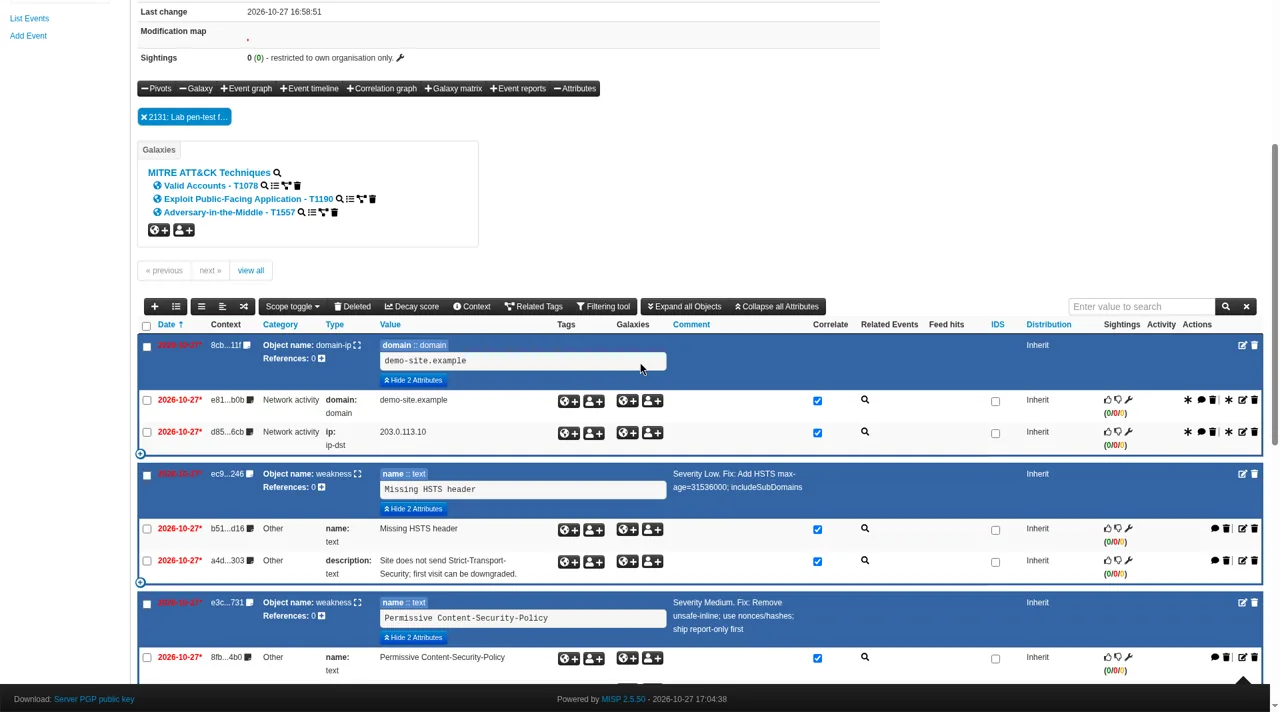
An event is a container for everything known about one thing, such as a phishing campaign, an incident or a threat report. Inside each event are attributes: the individual clues. An attribute might be an IP address, a website domain, an email subject line or the fingerprint (hash) of a malicious file.
Each attribute can be marked "for intrusion detection." That flag says, "this one is solid enough to alert or block on," as opposed to background context. It matters, because not every clue is safe to block. A shared cloud address might also host perfectly good websites.
Tags, taxonomies and galaxies
Raw indicators are only half the story. MISP lets you label data with tags drawn from taxonomies, which are shared, ready-made vocabularies. Examples include how confident you are in a piece of information and how widely it may be shared.
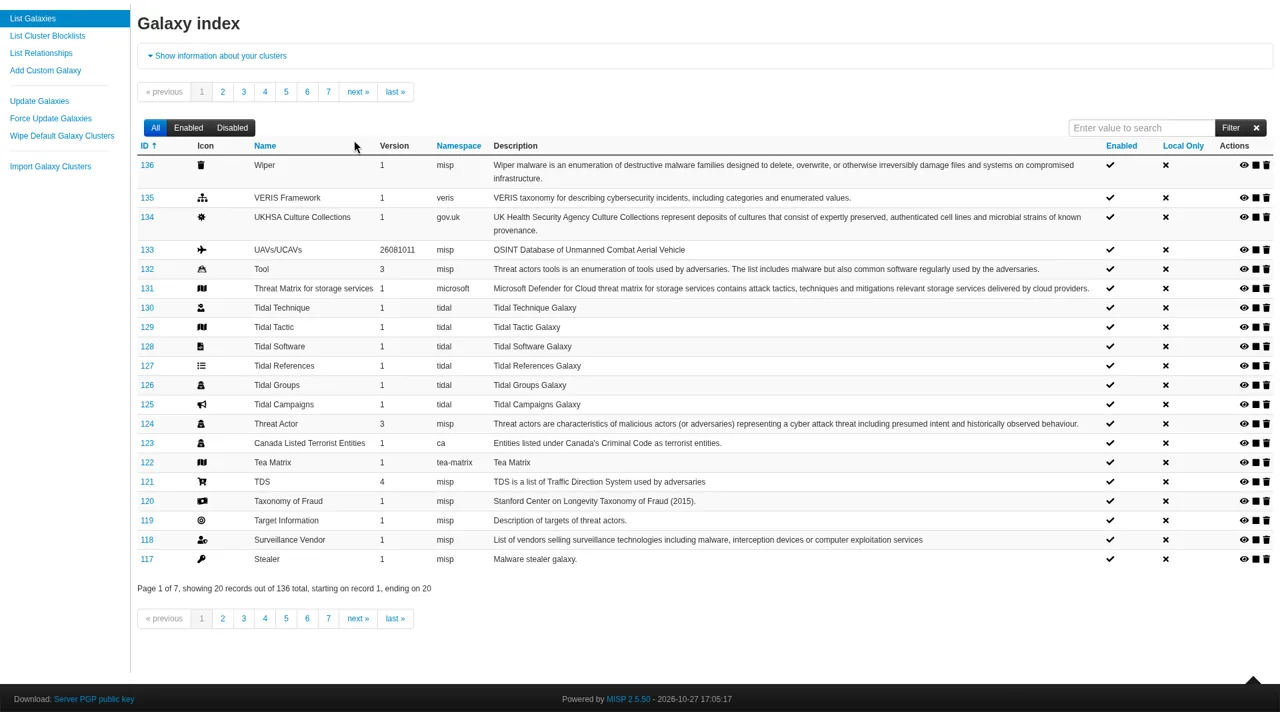
Galaxies add richer background knowledge, such as known threat groups, malware families and the MITRE ATT&CK catalog of attacker techniques. Attaching a galaxy to an event answers the "so what?" question: who is likely behind this, and what are they trying to do?
Correlation
This is where MISP shines. When two events contain the same value, such as the same IP address, MISP links them automatically. An analyst can then jump from one event to the related one, a step MISP calls pivoting. An address that looks harmless by itself becomes interesting when it shows up in three different reports.
Feeds, sharing and sync
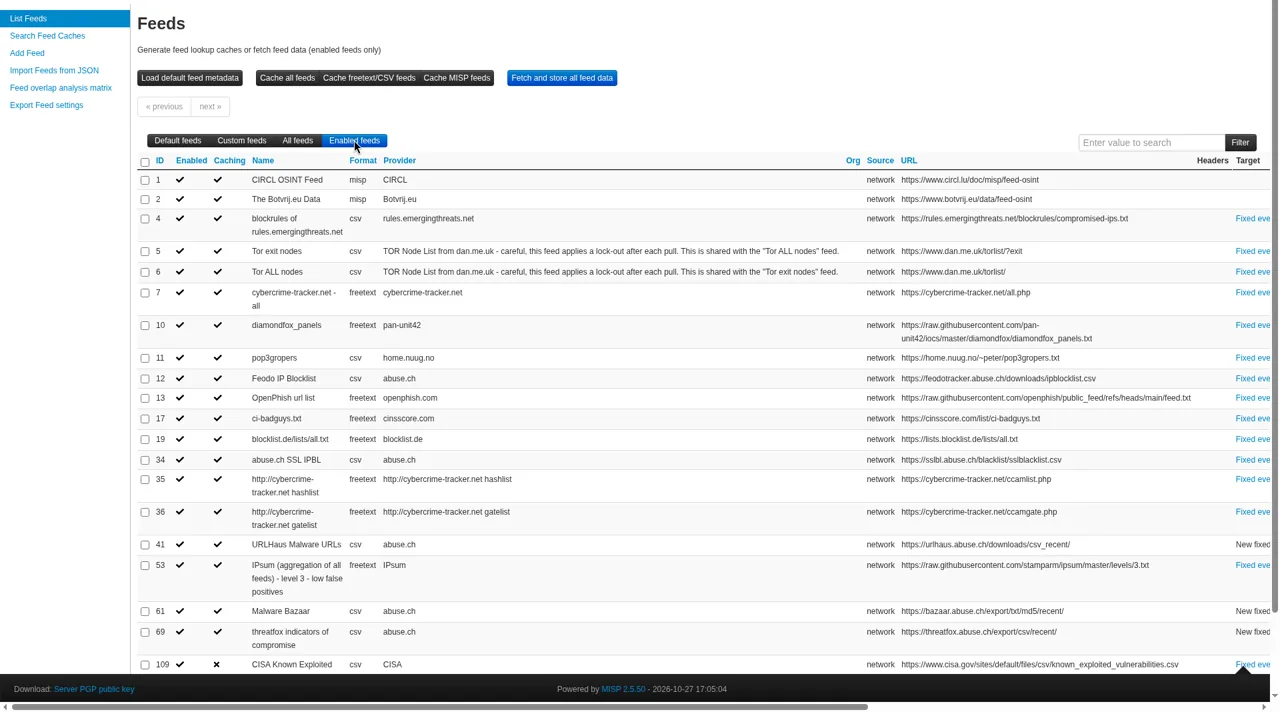
MISP can pull in feeds: lists of indicators published by other organizations, imported automatically on a schedule. The project ships a list of free, open source feeds you can turn on. MISP servers can also synchronize with each other, so trusted groups can exchange data directly.
Distribution levels and TLP
Sharing is opt-in and controlled carefully. Every event has a distribution level that decides who can see it and whether it travels to other servers:
- Your organization only. Nothing leaves your team.
- This community only. Organizations in your MISP community can see it.
- Connected communities. It can reach one more hop of connected servers.
- All communities. It can be shared freely.
- Sharing group. Only a hand-picked list of organizations can see it.
Most communities also use the Traffic Light Protocol (TLP), a simple labeling system from FIRST. Its labels (TLP:RED, TLP:AMBER, TLP:GREEN and TLP:CLEAR) tell people how far they may pass something along. FIRST notes that TLP can be used in automated exchange systems such as MISP.
What "free" really means
MISP is free in two senses. It costs nothing, and it's open source software you can inspect, change and run however you like.
- The software. MISP's source code is public on GitHub and licensed under the GNU Affero General Public License (AGPL-3.0). There's no license fee, no seat count and no feature tier to unlock. If you modify it and offer it to others over a network, the AGPL asks you to share those changes.
- The data. MISP ships with a list of free, open source feeds you can turn on with a few clicks. CIRCL publishes an OSINT feed in MISP format. CISA's Known Exploited Vulnerabilities catalog is a free list of flaws attackers are actively exploiting.
- The knowledge. The taxonomies, galaxies and object templates are community-maintained and free to use. The CIRCL-hosted user guide is free too.
What isn't free is the work around it:
- Hosting. You need a server or cloud instance to run it, and enough storage for the data you pull in.
- Maintenance. MISP needs updates, backups and access control like any other system you run.
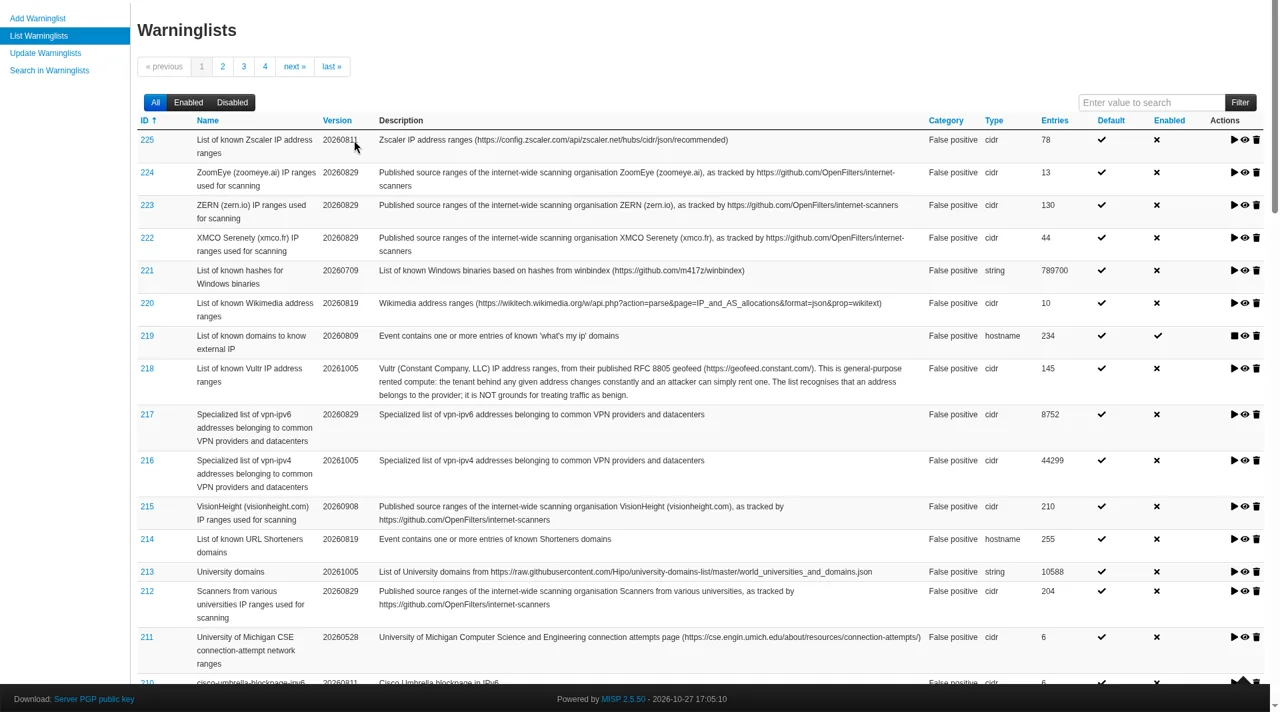
- Tuning. Not every feed is equally trustworthy. Some lists are noisy and include addresses that are harmless or shared. Warning lists and confidence tags help separate signal from noise, but someone has to set them up.
- Attention. Threat intel is only useful if it leads to an action: blocking, checking or fixing something. A big list nobody looks at doesn't make anyone safer.
Putting free threat intel to work
Once MISP is running, the practical uses tend to fall into a few patterns:
- Feed your monitoring. Export indicators flagged for detection into your log monitoring or SIEM, firewall or DNS filter. Start by alerting on matches, then block only the higher-confidence indicators.
- Look things up. When an odd login or a strange email shows up, search MISP to see whether a feed or a peer has already flagged it.
- Prioritize patching. Match known-exploited flaws against the software you run, and fix those first.
- Keep your own record. Write up each phishing attempt or incident as an event. Over time, that builds a searchable history that correlation makes more useful.
- Share with peers. If you join a trusted community, share only what you're comfortable with, keep data private by default, and label it with the right TLP level.
If nobody has time to review MISP regularly, a managed security product that already uses threat intel behind the scenes may be the better choice. Free software is only a bargain when it gets used.
Get MISP and set it up
MISP is free software released under the AGPL-3.0 license. Downloading it costs nothing. Running it costs your own hosting, time and upkeep. These official sources cover getting started:
- Start at the project site. The MISP download and install page lists the supported install options and links to everything below.
- Get the source code. The MISP repository on GitHub holds the code, release notes and installer scripts.
- Follow the install guides. The official MISP install guides cover a base installation. For MISP 2.5, the project recommends Ubuntu 24.04 with its provided installer.
- Prefer containers? The project points to misp-docker, a Docker setup for MISP and MISP modules. It also recommends a containerized install when your operating system isn't supported by the install scripts.
- Learn the basics. The quick start in the CIRCL-hosted MISP user guide walks through first steps after installation.
- Turn on feeds. Browse the default feed list, and read about CIRCL's own OSINT feed.
Before you start, plan for the basics of running any server: keep it patched, back it up, restrict who can log in, and keep its sharing settings private until you decide otherwise.
How we use MISP in the Hawkcrest lab
We practice what we talk about. In our lab we run a MISP instance alongside a honeypot and Wazuh, an open source security monitoring platform.
- MISP pulls a set of free public feeds on a schedule, including CIRCL's OSINT feed and CISA's Known Exploited Vulnerabilities catalog.
- Only indicators flagged for detection are turned into watch lists that Wazuh checks lab activity against. Lower-confidence lists are treated as context, not alarms.
- The honeypot runs separately from the rest of the lab. It shows us the kind of automated attack traffic any internet-facing system attracts.
- Our MISP data stays in the lab. We don't sync it with outside servers.
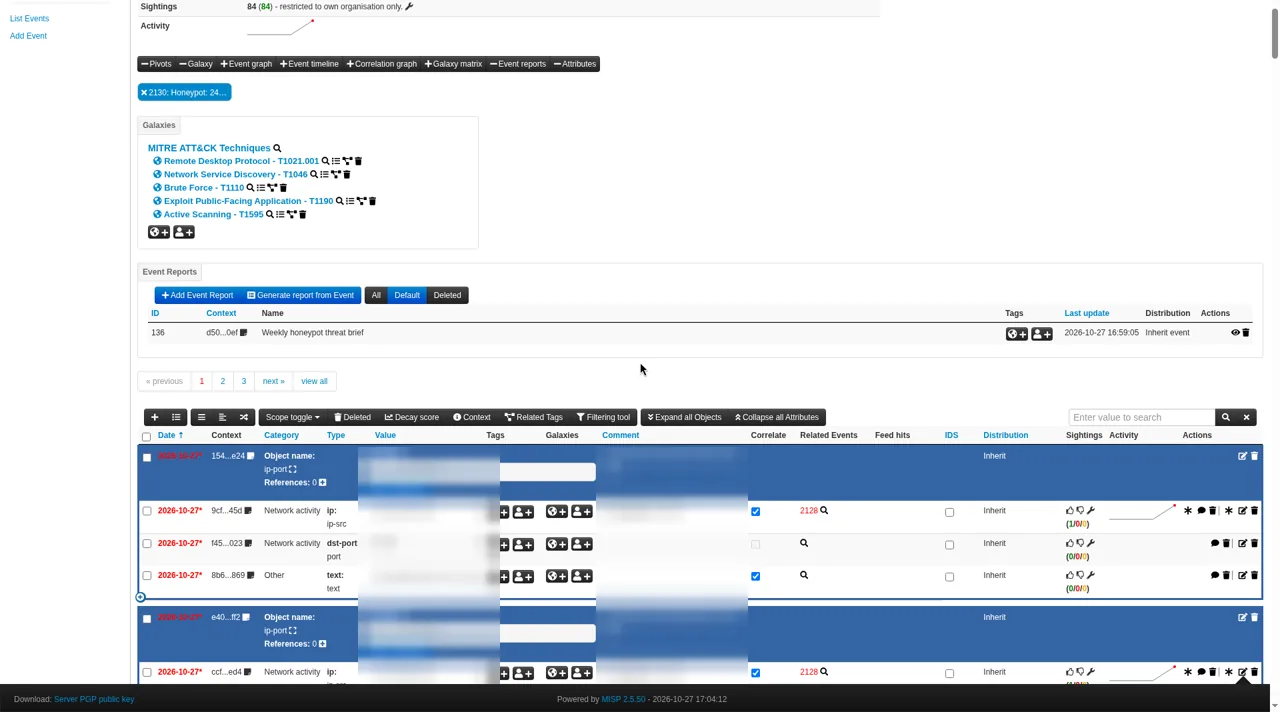
The point isn't the tools themselves. It's the habit: take outside intelligence, filter it, match it against what you actually see, and act on what's real. You can build the same habit with free tools, as long as you set aside the time to keep them running.
Where to learn more
- MISP project home page and feature overview
- MISP user guide (CIRCL), including events, attributes and distribution levels and managing feeds
- MISP default feeds, taxonomies and galaxies
- CIRCL MISP sharing communities
- MISP source code and license (GitHub)
- Traffic Light Protocol (FIRST)
- Wazuh documentation
Thinking about running MISP, or wondering whether a free threat intel setup fits your environment? Request a service and we'll help you work out what's worth doing first.
This article is general information, not legal or security advice for your specific situation. Hawkcrest Cyber is an independent consultancy and is not affiliated with the MISP project, CIRCL, FIRST or Wazuh.
Want help deciding whether running MISP is worth it for you?
Request a ServiceFree newsletter
Security tips for small businesses
Free small-business security tips, every few days. Plain English, practical steps. Unsubscribe anytime.
We email you once to confirm. Your email and optional first name are used only to send these tips. See our privacy notice.